
Updated: 2/08/2021
Please note, the Hub application is under active development. As such, text and screenshots may quickly become out of date. If you have any questions about current Hub functionality, please reach out to your Hub contact directly.
The Statewide Transportation Improvement Program (STIP) tab allows you to enter Federal and/or State Project and Project Phase STIP related information that can be used to generate the STIP document. The STIP is a federally required document that provides the Federal Highway Administration (FHWA) and the Federal Transit Administration (FTA) a listing of all projects that are candidates for federal-aid or regionally significant projects that are not using federal-aid.
NOTE: For every federal phase, a STIP record is required in the HUB.
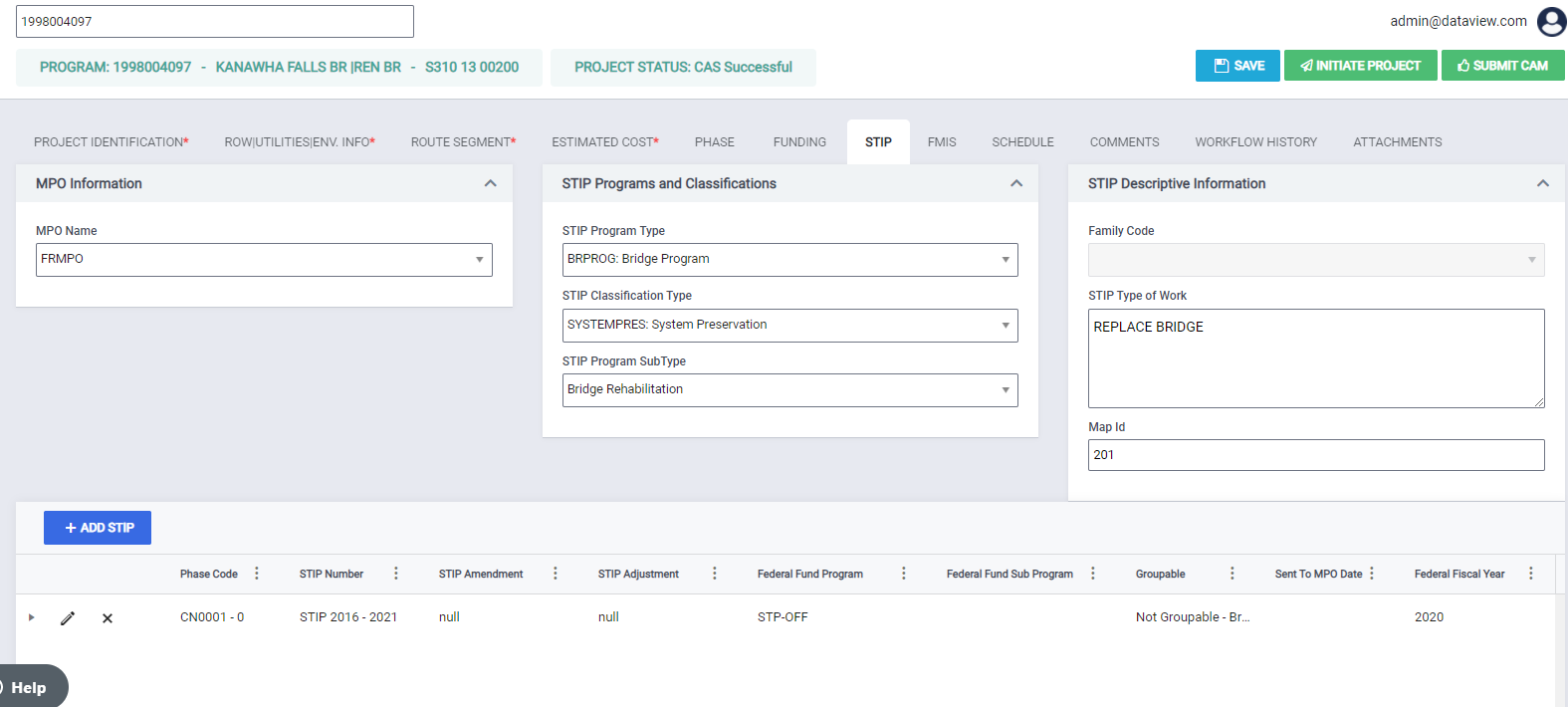
Navigate to the STIP Tab
To navigate to this tab, click the STIP tab on the tab strip within a project.
Users with hub.state.stip.coordinator or hub.federal.stip.coordinator can enter information on the STIP tab. This tab is hidden for all other users.
The following fields are presented to the user on the STIP tab under three sections
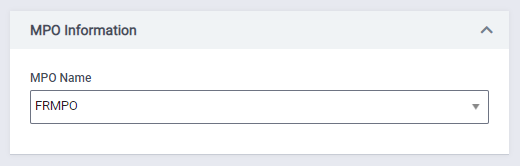
MPO Information
- MPO Name: The name of the Metropolitan Planning Organization (MPO). You can select a valid value from the drop-down. This is not a required field for STIP. Example: BELOMAR
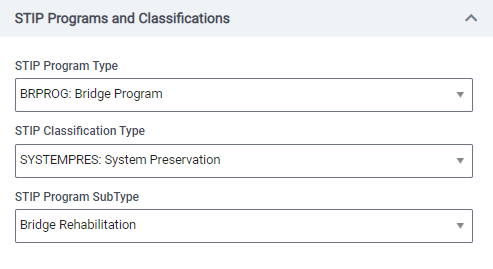
STIP Programs and Classifications
- STIP Program Type: You can select a STIP Program type. This is not a required field for STIP. Example: BRPROG Bridge Program and LOCALMOB Localized Mobility Improvement Program.
- STIP Classification Type: You can select a STIP Classification Type. This is not a required field for STIP. Example - OTHERPROGRAM Other Program and SYSTEMEXP System Expansion.
- STIP Program SubType: You can select a STIP Program SubType. This is not a required field for STIP. Example: ADA COMPLIANCE.
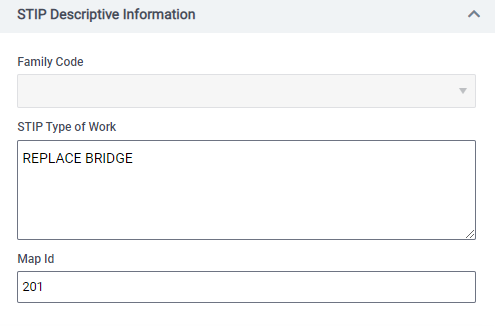
STIP Descriptive Information
- Family Code: You can select a Family Code that is used to enable appropriate selection and sort for special reports. This is not a required field for STIP. Example: Corridor H, GARVEE2, GARVEE2019.
- This field is disabled until the project reaches Programming Review in workflow so that the Programming Supervisor.
- This field is also available on the Project Identification page. An update on either location will automatically update the second location.
- STIP Type of Work: You can select a STIP Type of Work. This is not a required field for STIP. You can enter a maximum of 100 characters. Example: 6 YR BR INSPECTION, ACCESS TO UPGRADE.
- Map Id: You can add a Map Id for STIP (up to 20 characters). This is not a required field.
Adding Phase/ STIP information
You can also add phases by selecting the +ADD STIP button. This brings up a window with the following fields under four sections.
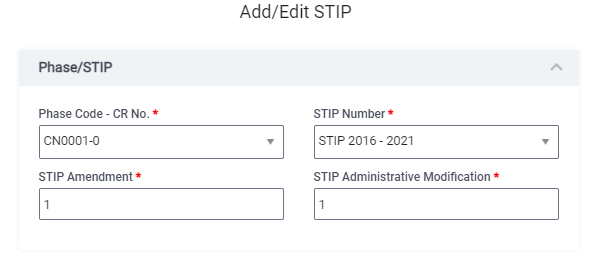
Phase/ STIP
- Phase Code-CR No.: This dropdown will present the user with all phases and CR combinations for the project. This is a required field. Example: EN0001-0
- STIP Number: You can select the STIP number corresponding to the Federal Fiscal Year range. This is a required field. Example STIP 2020 - 2025.
- STIP Amendment: Necessary amendments deemed by WVDOT and MPOs for a given STIP. This is a required field
- STIP Administrative Modification: Necessary administrative adjustments deemed by WVDOT and MPOs for a given STIP. This is a required field
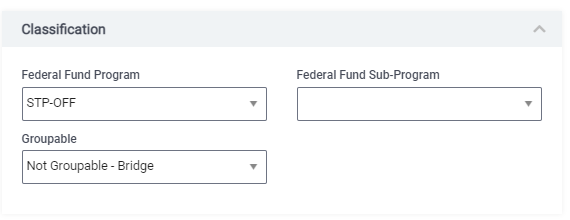
Classification
- Federal Fund Program: You can select the program eligible for federal funding. This is not a required field. Example: CMAQ and DF.
- Federal Fund Sub-Program: You can select the sub-program eligible for federal funding. This is not a required field. Example: earmark and NHS.
- Groupable: You can select the type of grouped (or ungrouped) projects for STIP. This is not a required field.
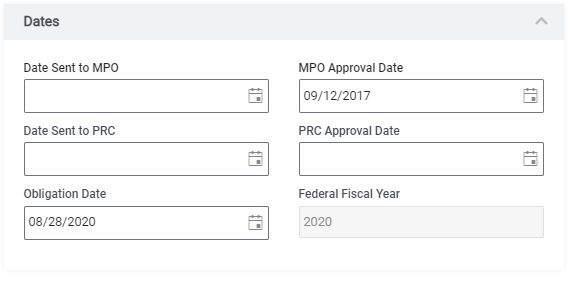
Dates
- Date Sent to MPO: The date when the phase is sent to the MPO for approval. This is not a required field. This field is read-only unless you add the MPO Name in the grid on the STIP tab.
- MPO Approval Date: The date when the phase is approved by the MPO. This is not a required field. This field is read-only unless you add the MPO Name in the grid on the STIP tab.
- Date Sent to PRC: The date when the phase is sent to the project review committee for approval. This is not a required field.
- PRC Approval Date: The date when project review committee approves the project. This is not a required field.
- Obligation Date: The date on which the project is scheduled to be authorized for federal funding. This is not a required field.
- Federal Fiscal Year: The year in which the federal funds are anticipated to be authorized. This is a read-only field and is populated based on the Obligation Date.
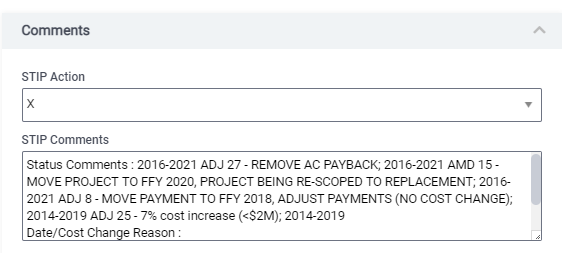
Comments
- STIP Action: The user can select a valid action for the STIP. This is not a required field.
- STIP Comments: The user can add comments for the STIP. This is not a required field.
Once a user adds a STIP record, the STIP details are shown in the grid on the page.

Comments
0 comments
Please sign in to leave a comment.