
Updated 2/4/2021
Please note, the Hub application is under active development. As such, text and screenshots may quickly become out of date. If you have any questions about current Hub functionality, please reach out to your Hub contact directly.
This tutorial will walk you through the functionality Hub's Estimated Cost tab.
Use this tab to enter estimated costs for Engineering, Right-of-Way (ROW), Construction, and/or Other phases.
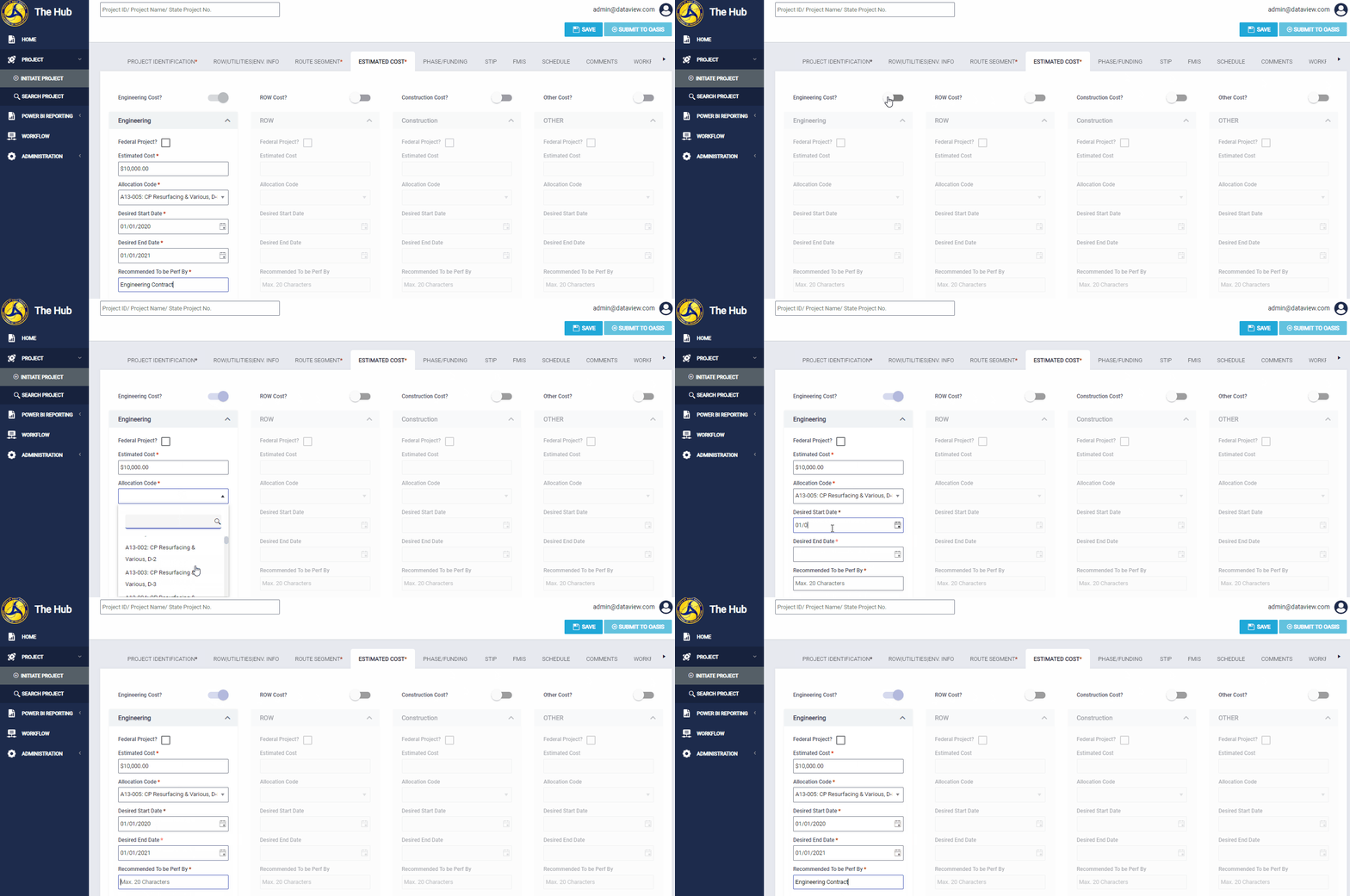
Navigating to the Estimated Cost Tab
To navigate to this tab, click the Estimated Cost tab on the tab strip within a project.
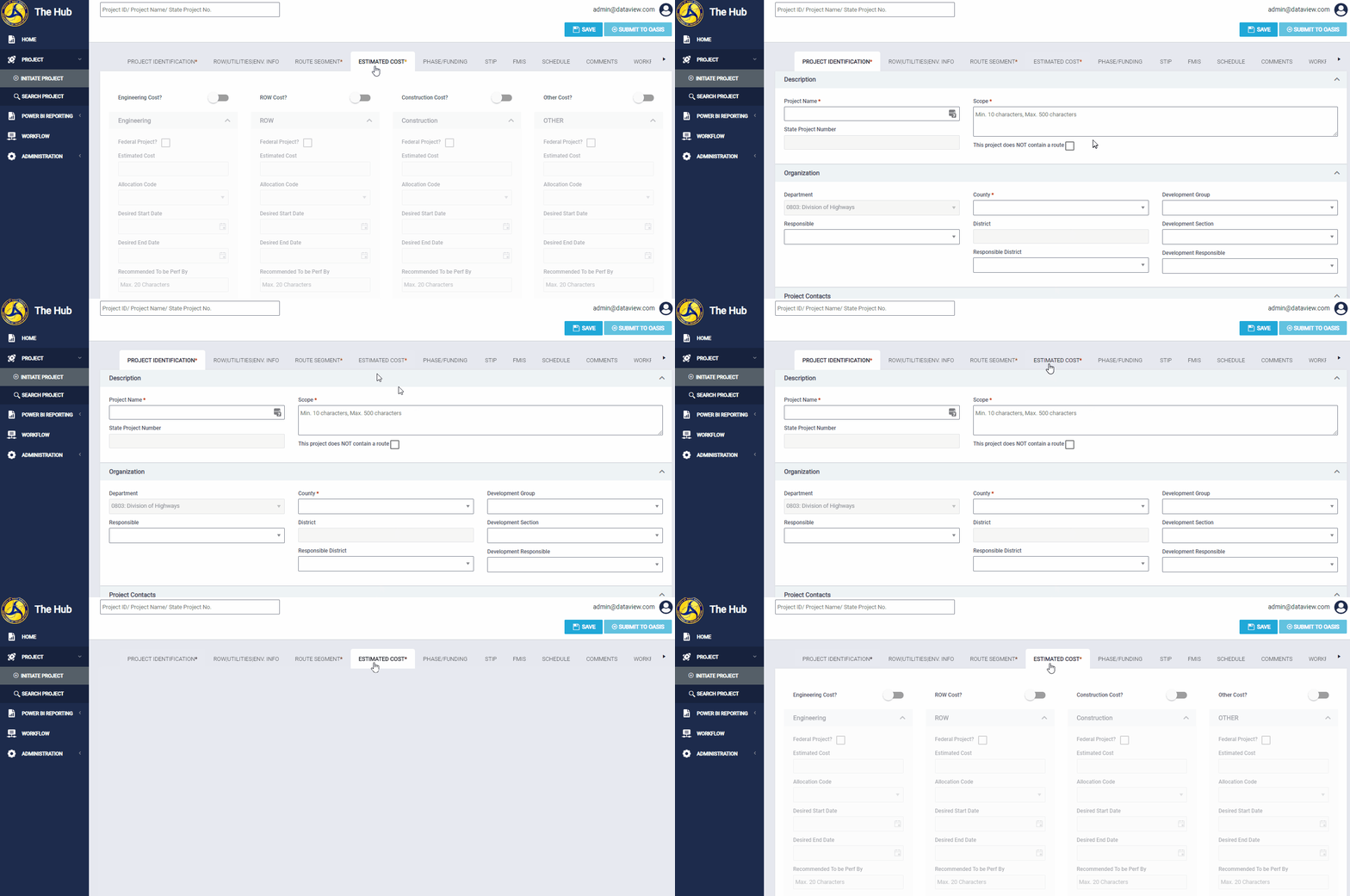
Completing the Estimated Costs Fields
This example walks through how to complete the fields in the Engineering Phase section. However, all sections on the Estimated Cost tab contain the same fields. The process to complete these fields for each phase is the same.
Enabling a phase
Enable a section by clicking the toggle button at the top of the section. Enabling a section activates the fields in that section and allows you to complete them.
Important: You must enable at least one section and complete the required fields before you can save or submit the project to workflow.
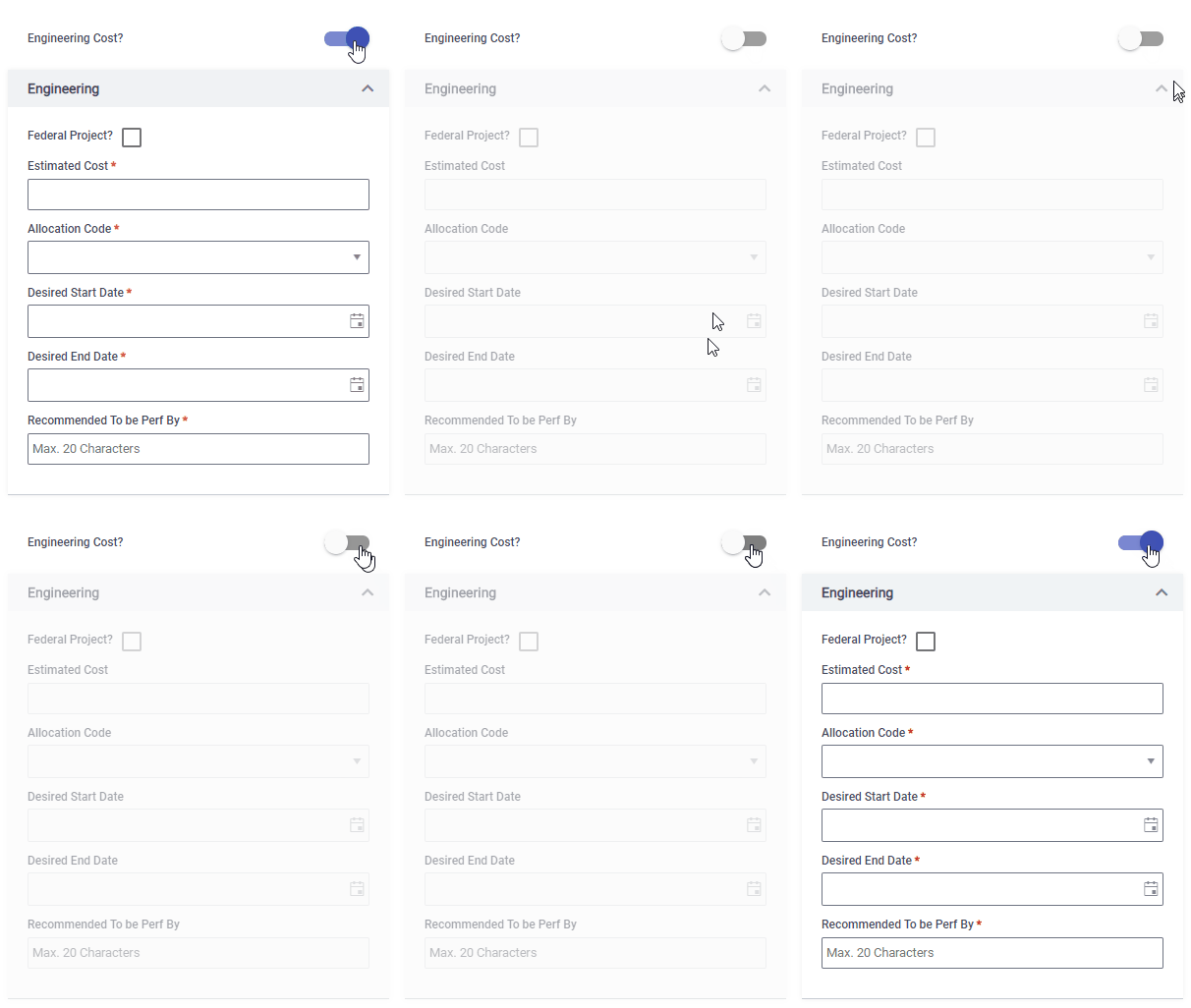
Disabling a Phase
Once a phase is enabled, it can only be disabled again if all fields are blank. To disable a phase, clear all values from the phase and click the toggle button above the section.
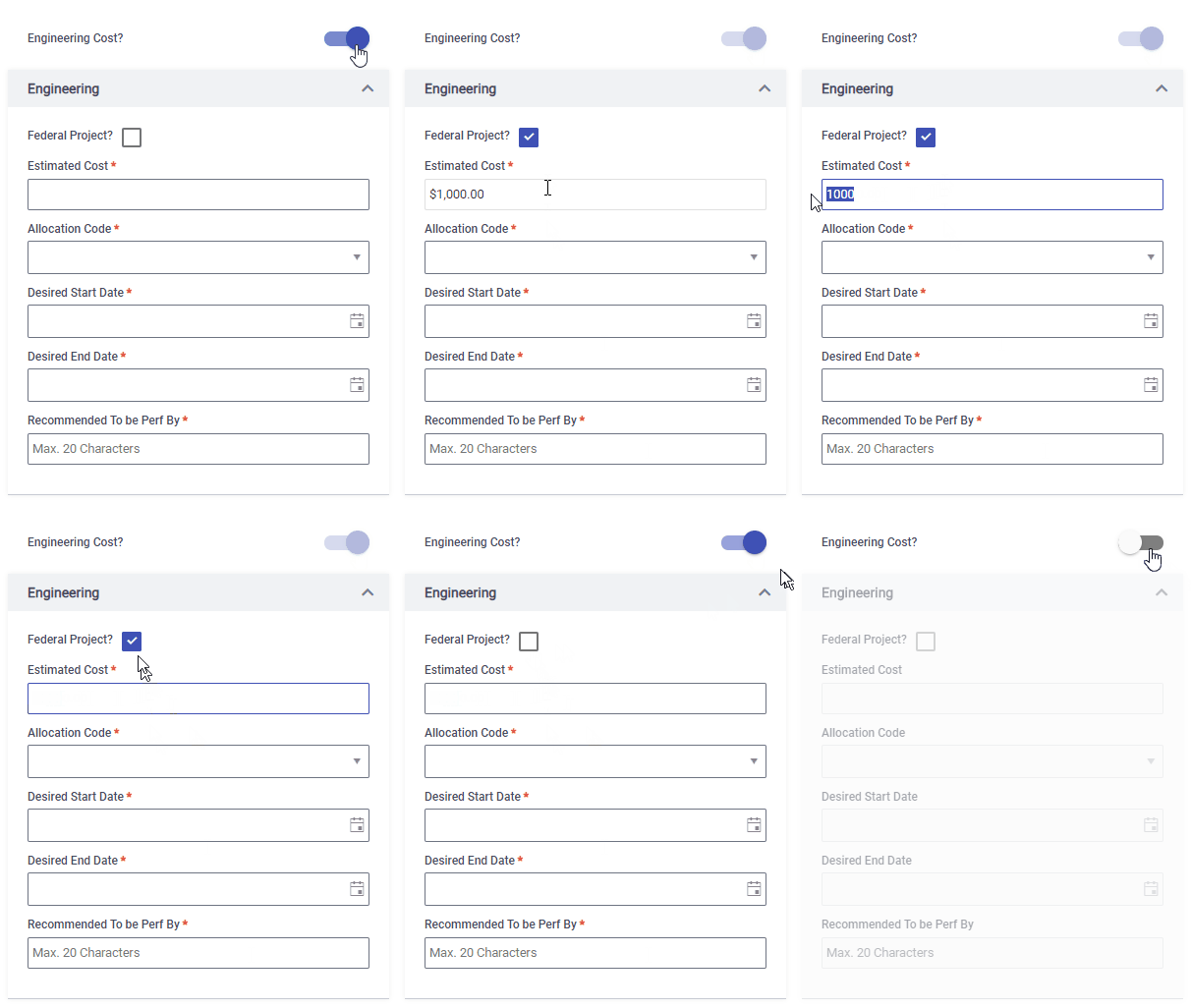
Required Fields

Comments
0 comments
Please sign in to leave a comment.