
Updated 2/4/2021
Please note, the Hub application is under active development. As such, text and screenshots may quickly become out of date. If you have any questions about current Hub functionality, please reach out to your Hub contact directly.
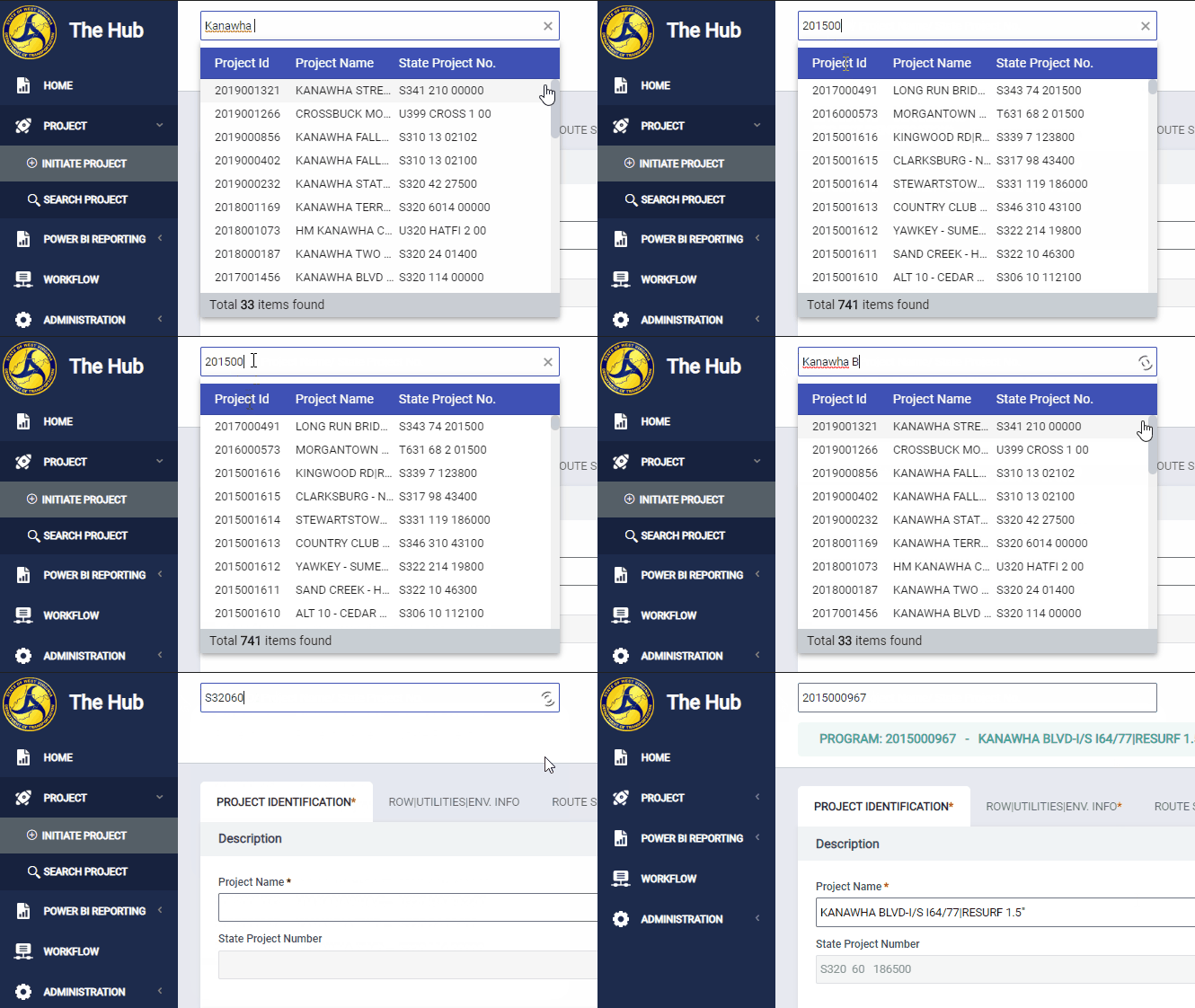
The search bar at the top of the screen is Hub’s Quick Search Bar Feature.
The Quick Search Bar is available on all pages in the Hub and allows you to quickly open a project from anywhere within the Hub.
You can search by Project Name, Project ID, or State Project Number (formatted or unformatted).
Navigate to the Quick Search Bar
You can use the Quick Search Bar from any page in the Hub.
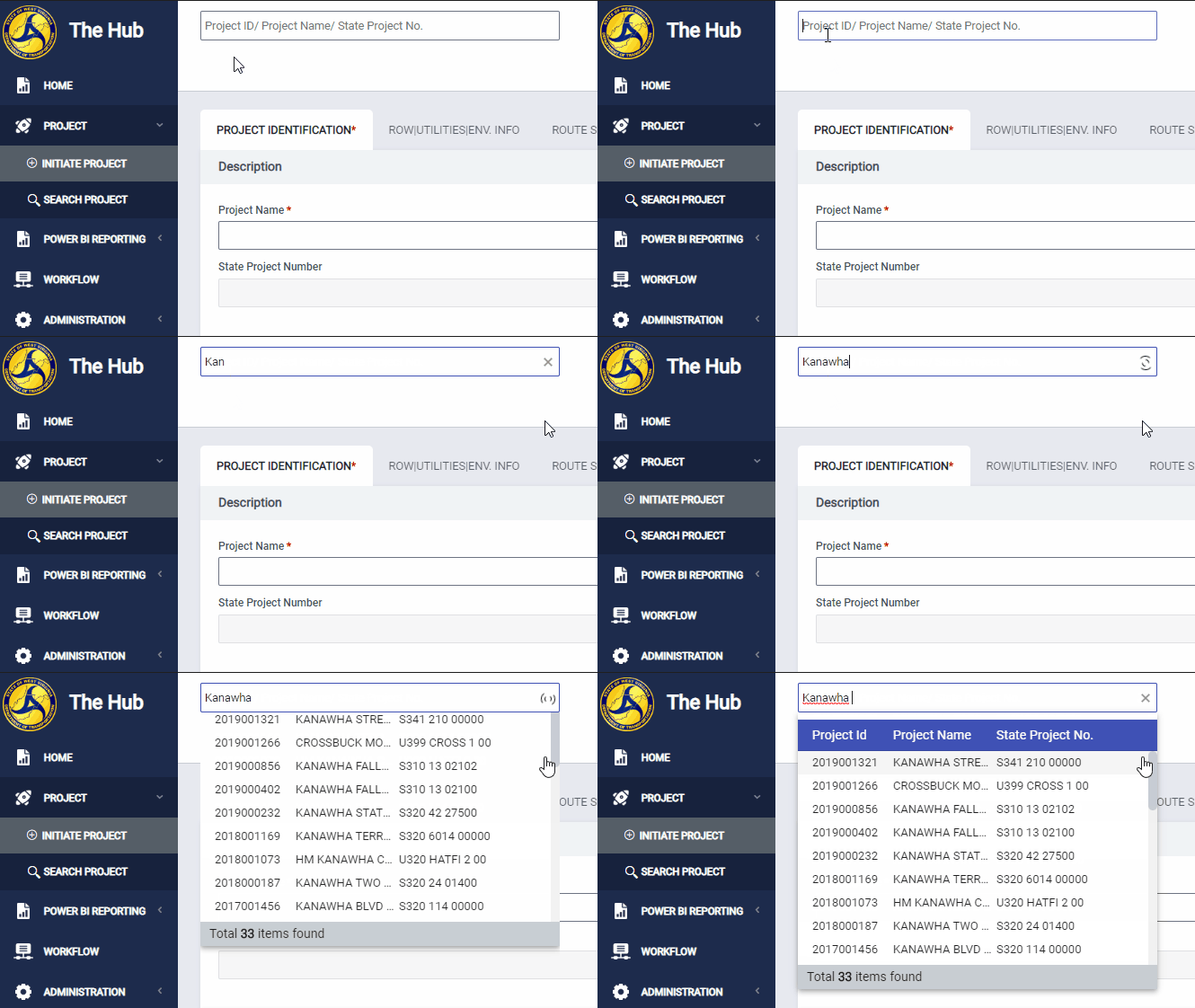
Enter the Project Name, Project ID, or State Project Number in the search field to begin your search. Notice that a table with relevant results will appear immediately after you've entered 6 characters.
Note: You need to enter at least 6 characters before search results will be displayed. Because there are thousands of projects in the application, this prevents slow down while searching.
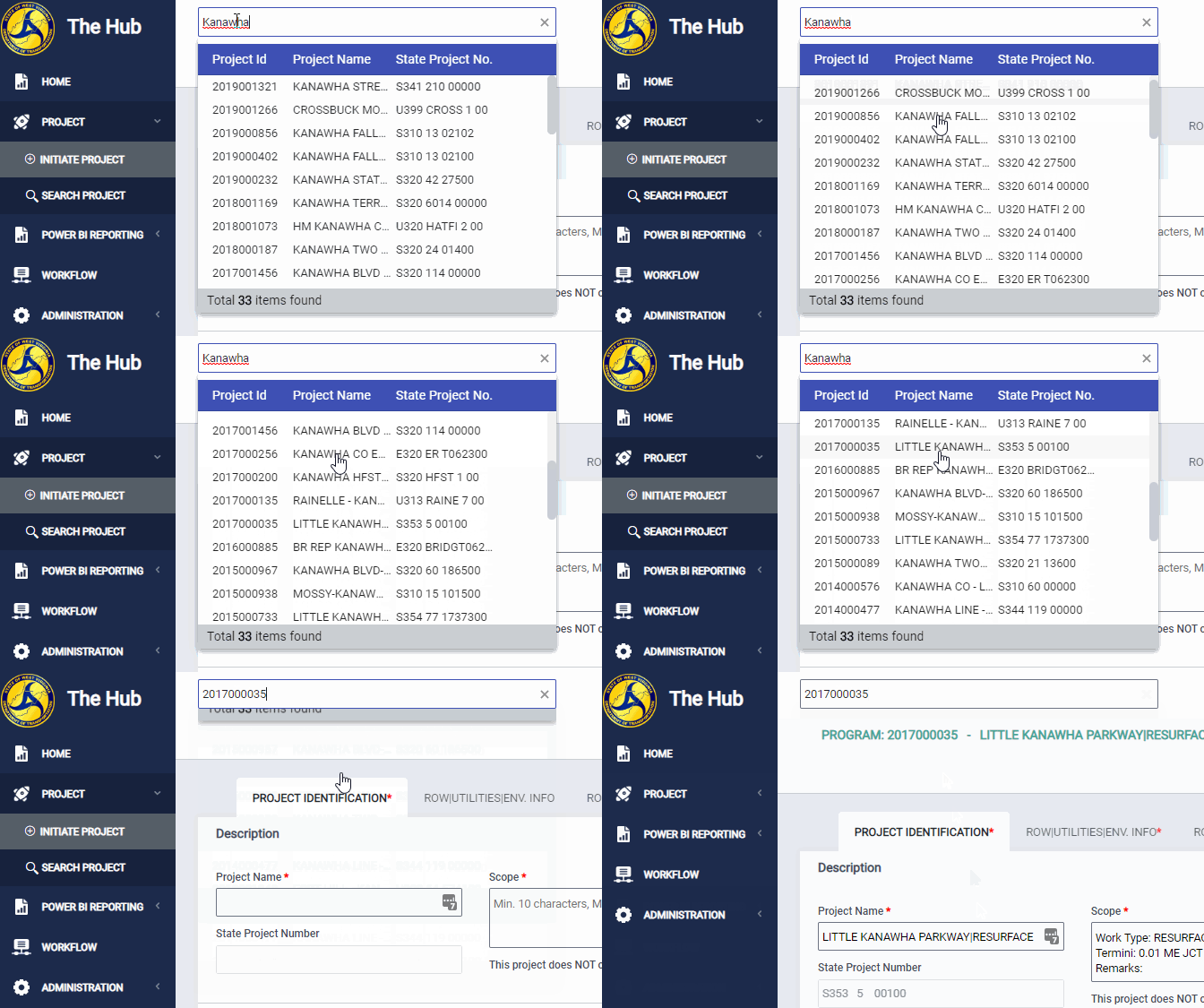
After finding the project you are looking for, click it to navigate immediately to that project.
Comments
0 comments
Please sign in to leave a comment.